
 Chloe
The console is part of the server
Open any chloedb-server's address to watch a cluster, take a slow query apart, build queries and tune ranking. Nothing else to install, on a laptop or in the cloud.
Served at /
Compiled into the server. No second service, plugin or licence tier, and it works offline.
One server or a cluster
The same views on a laptop's file and on a sharded cluster in the cloud.
Every click is an API call
It reads the same API as any client, and does only what its key allows.
Is the fleet serving? The answer comes first.
Health against the SLO, every shard on one map, and what changed before it went wrong.
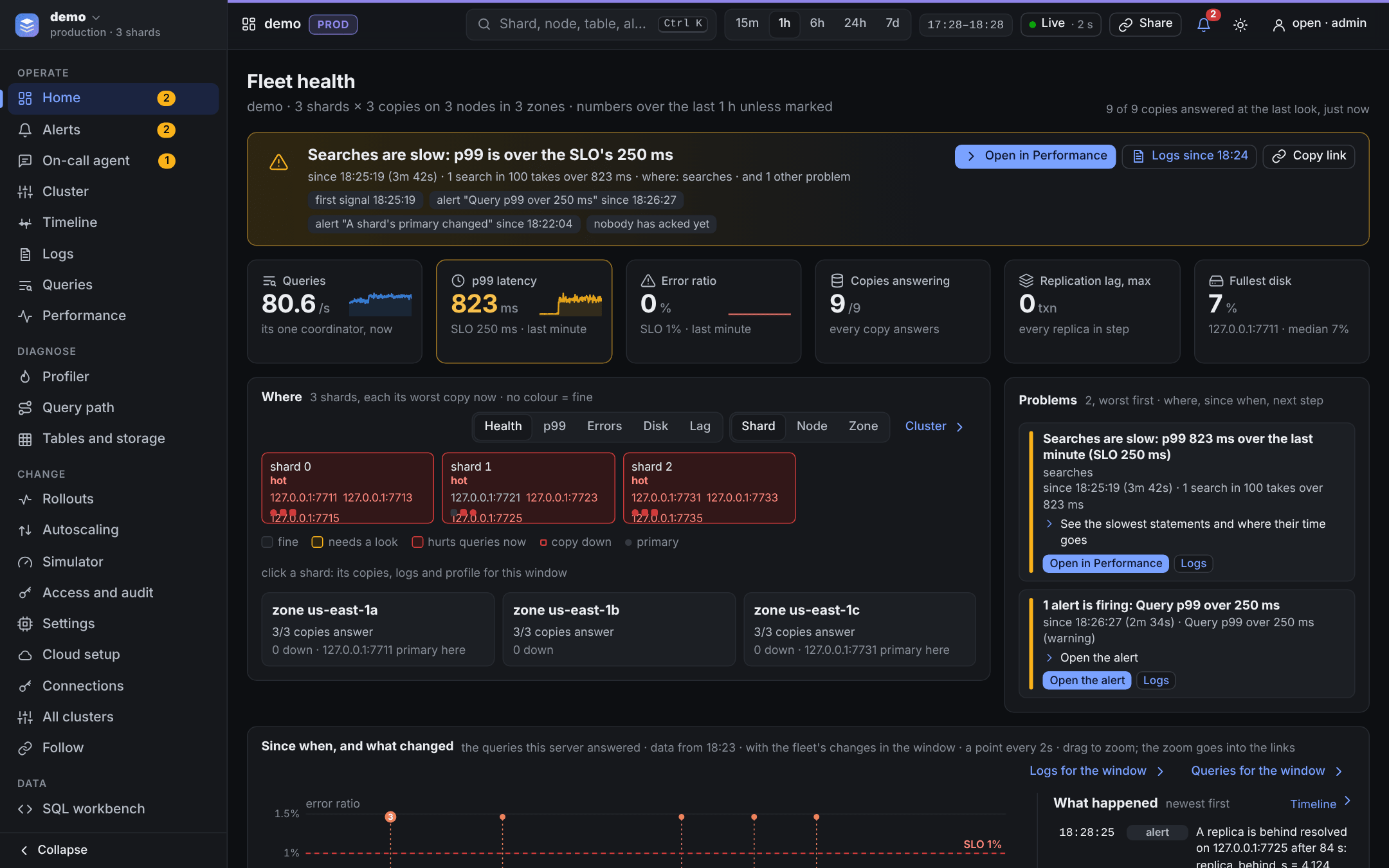
Whether every shard serves reads and takes writes, and the numbers behind it.
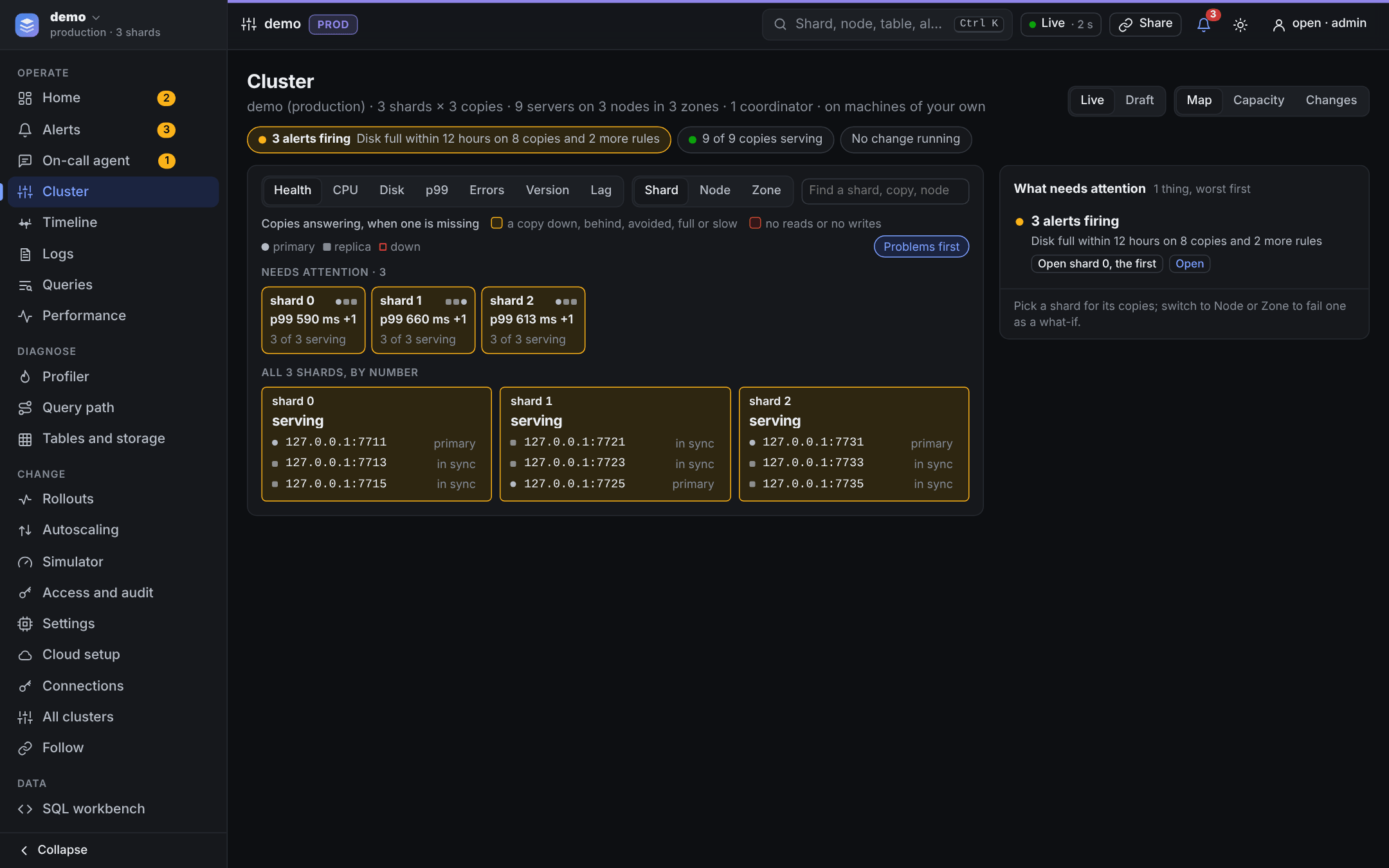
Every shard and copy on one canvas. Draft a change by dragging, and apply its plan.
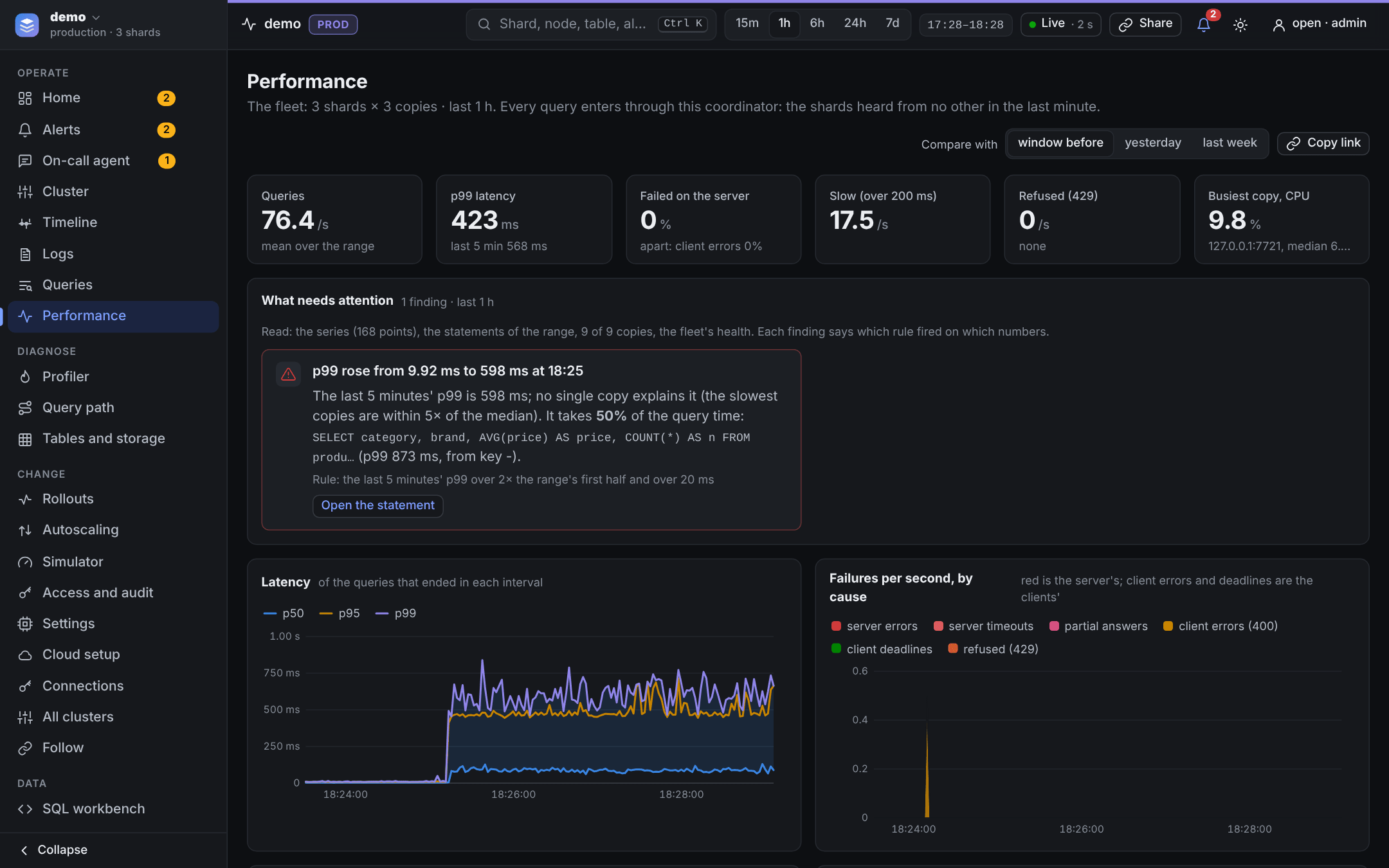
Latency, failures by cause and queries by kind, compared with the window before.
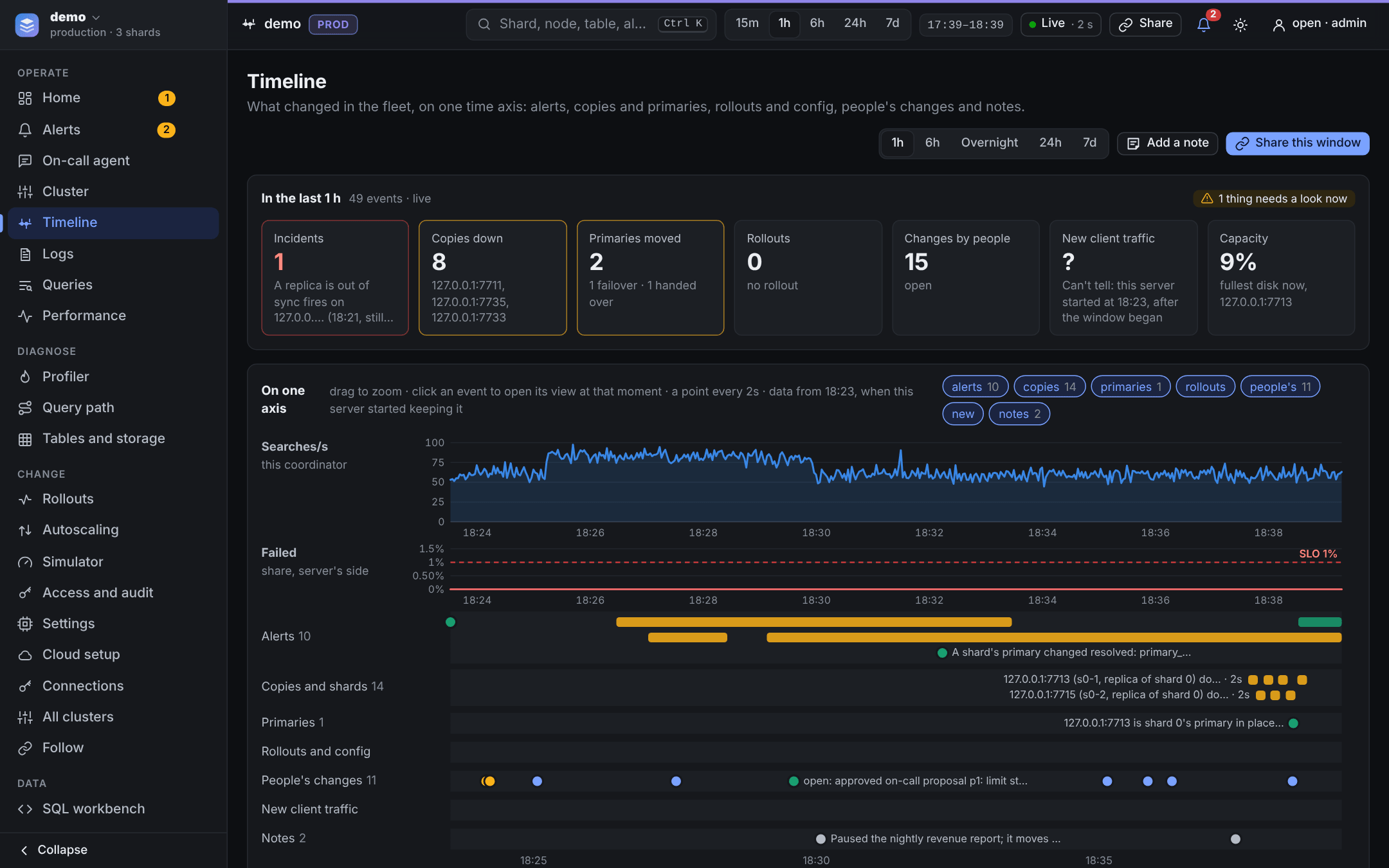
Alerts, failovers, rollouts and people's changes on one time axis.
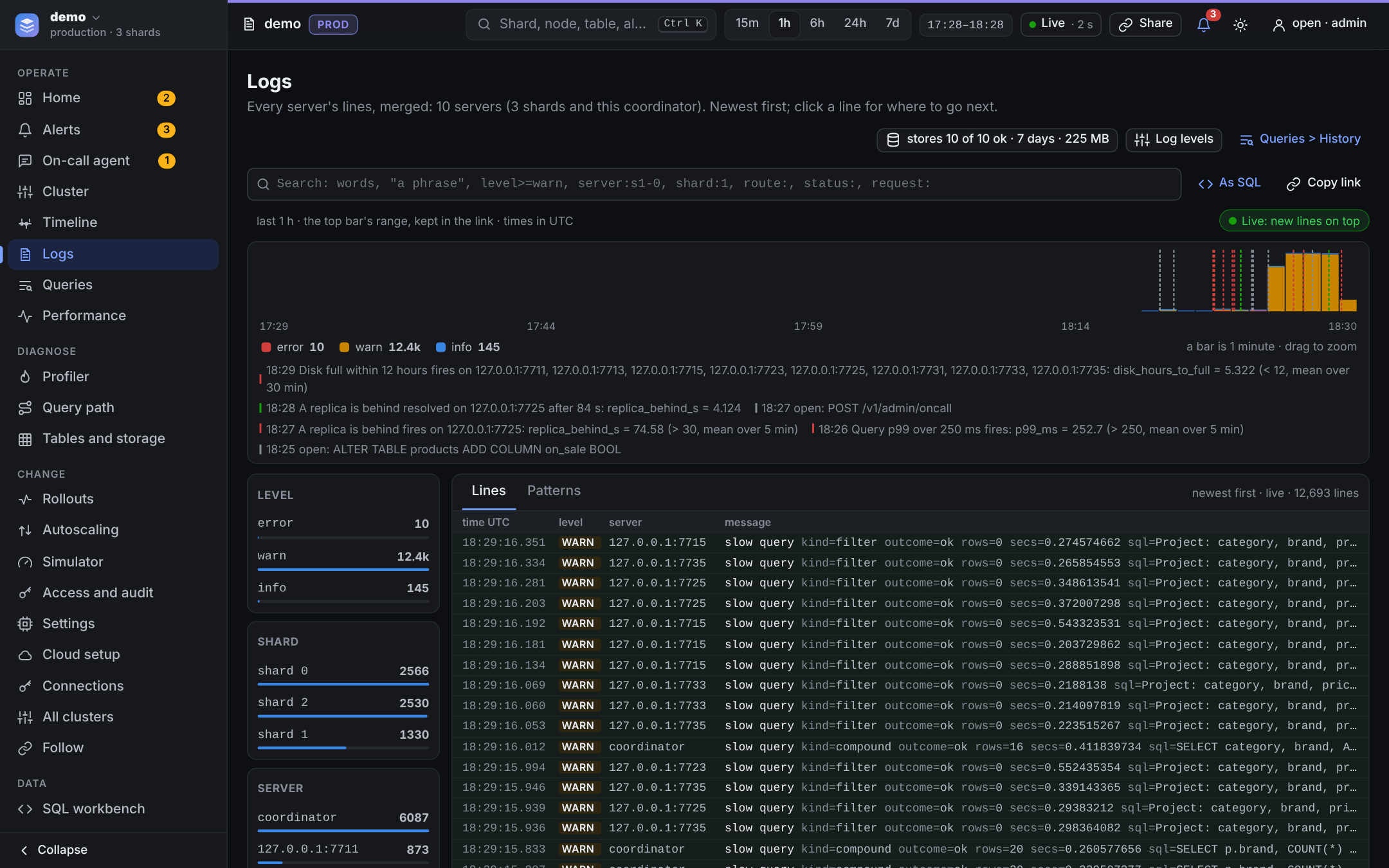
Every server's logs, kept in ChloeDB and searched from one bar.
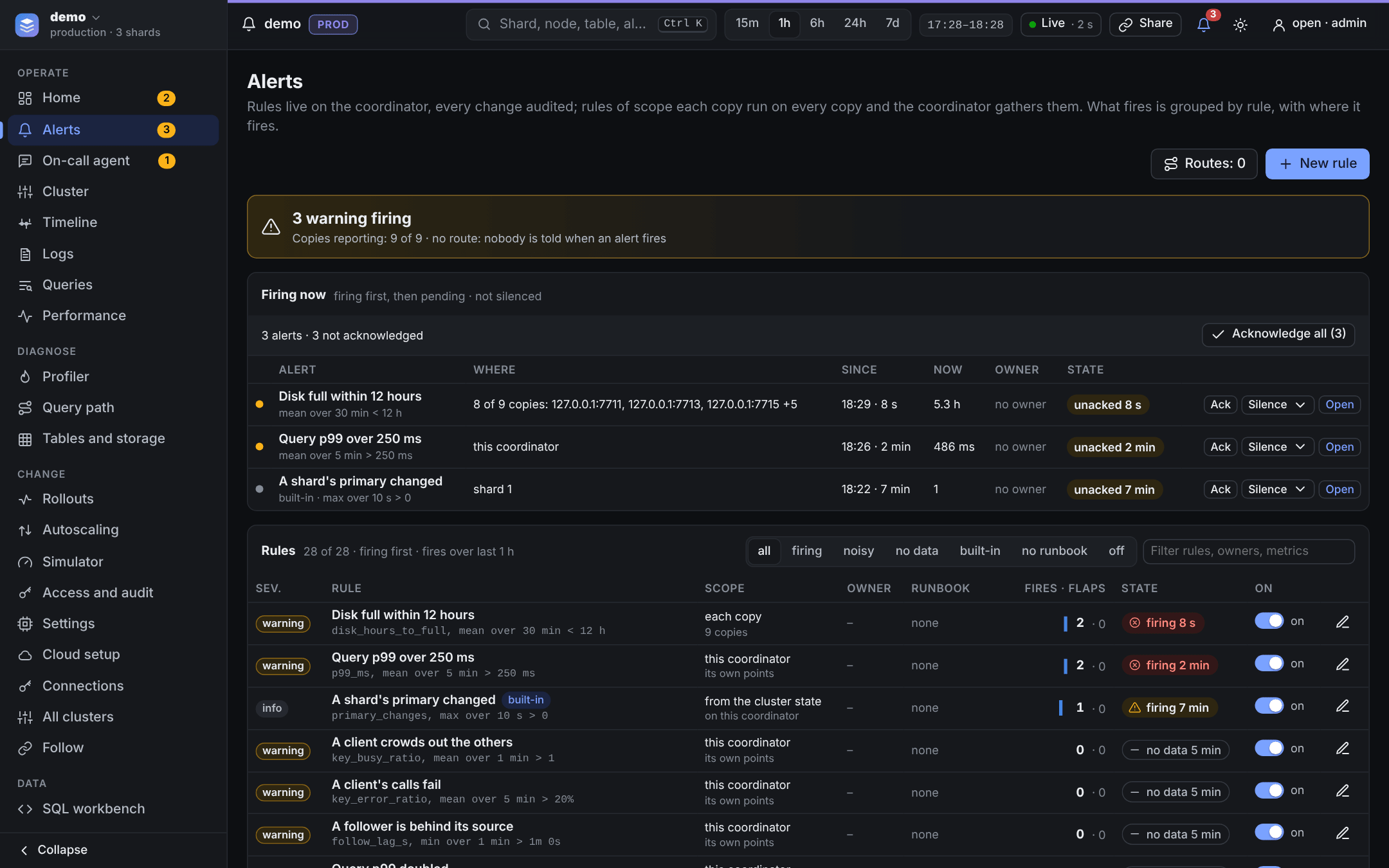
What is firing first, then every rule, backtested before you save it.
Take a slow query apart
Flame graphs for any query on any server, and which shard a search waited for.
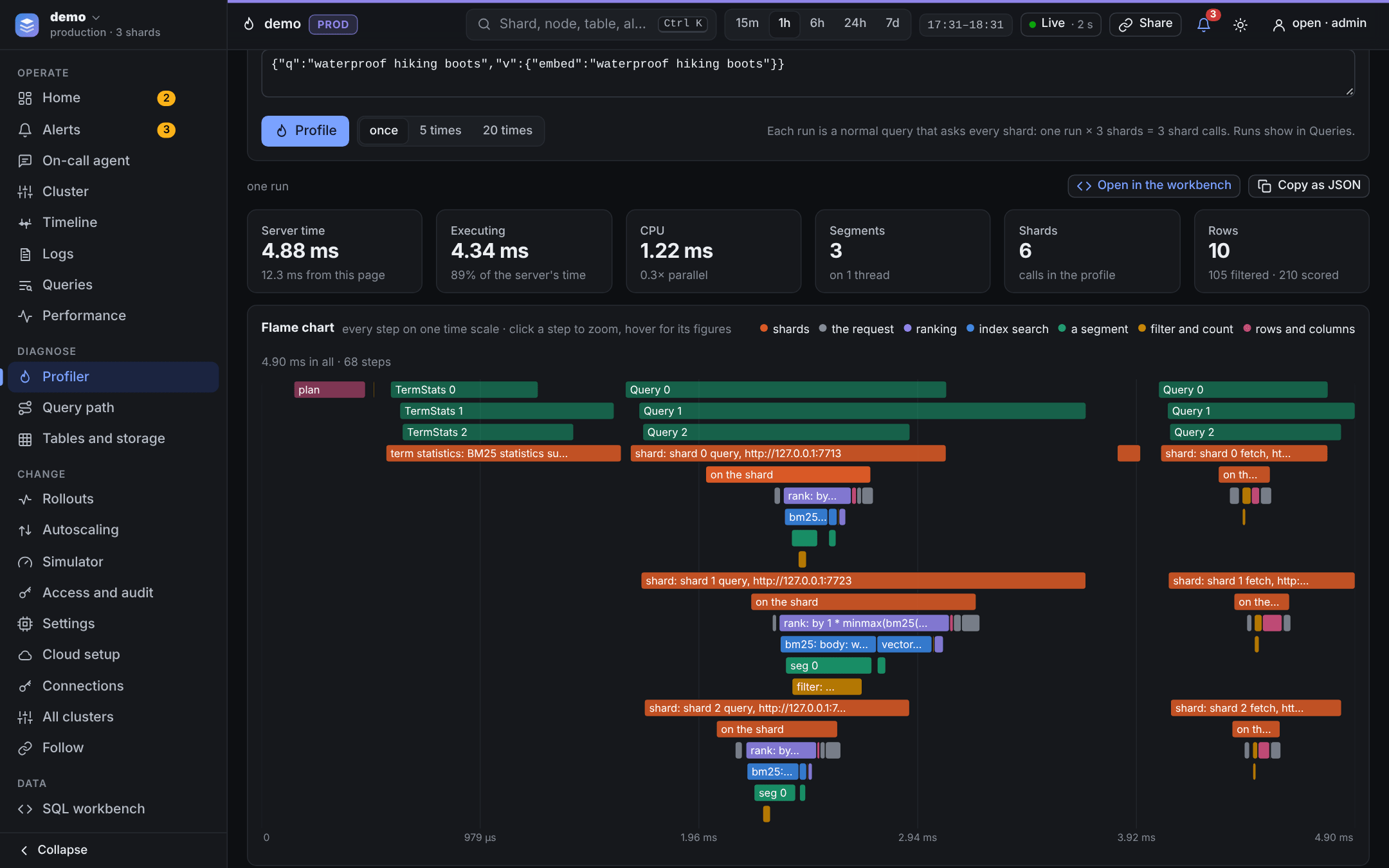
Every step of a query as a flame chart, with each shard's call.
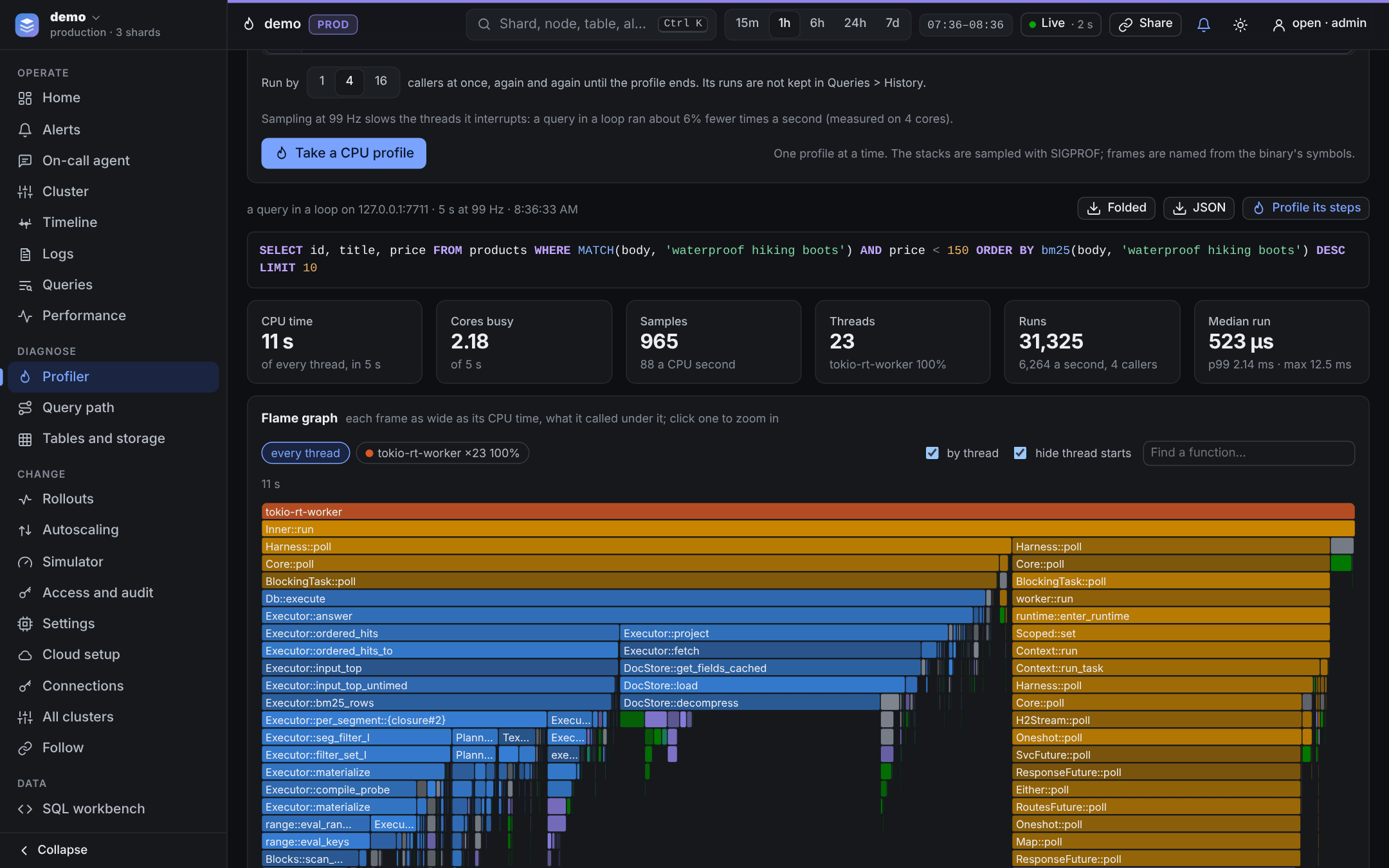
Sample every thread for a few seconds; memory is profiled the same way.
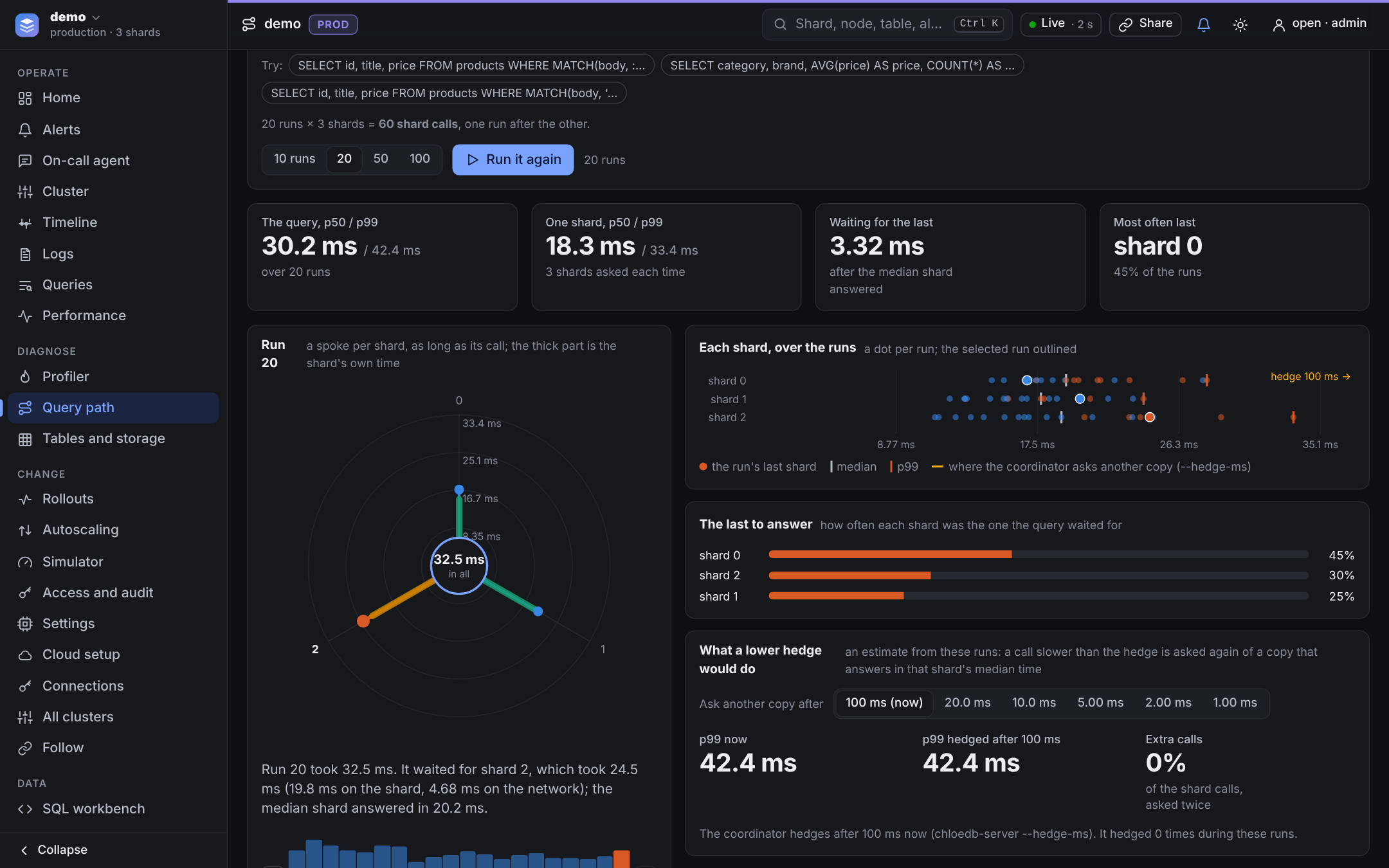
Run a search 10 to 100 times and see which shard it waited for.
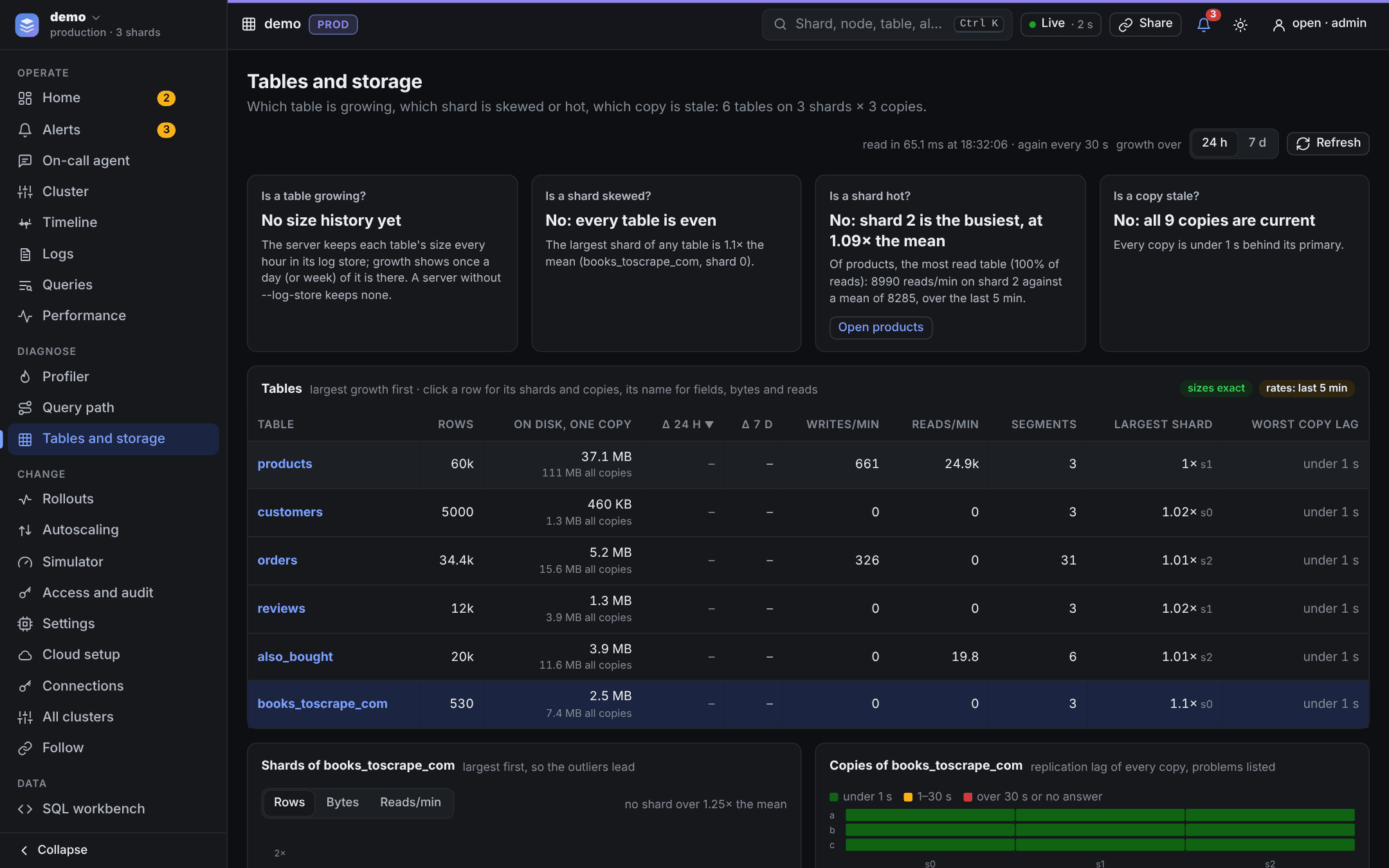
Which table grows, which shard is skewed or hot, which copy is stale.
Write queries, and tune what people see
A workbench and a query builder for SQL, and labs for ranking and search.
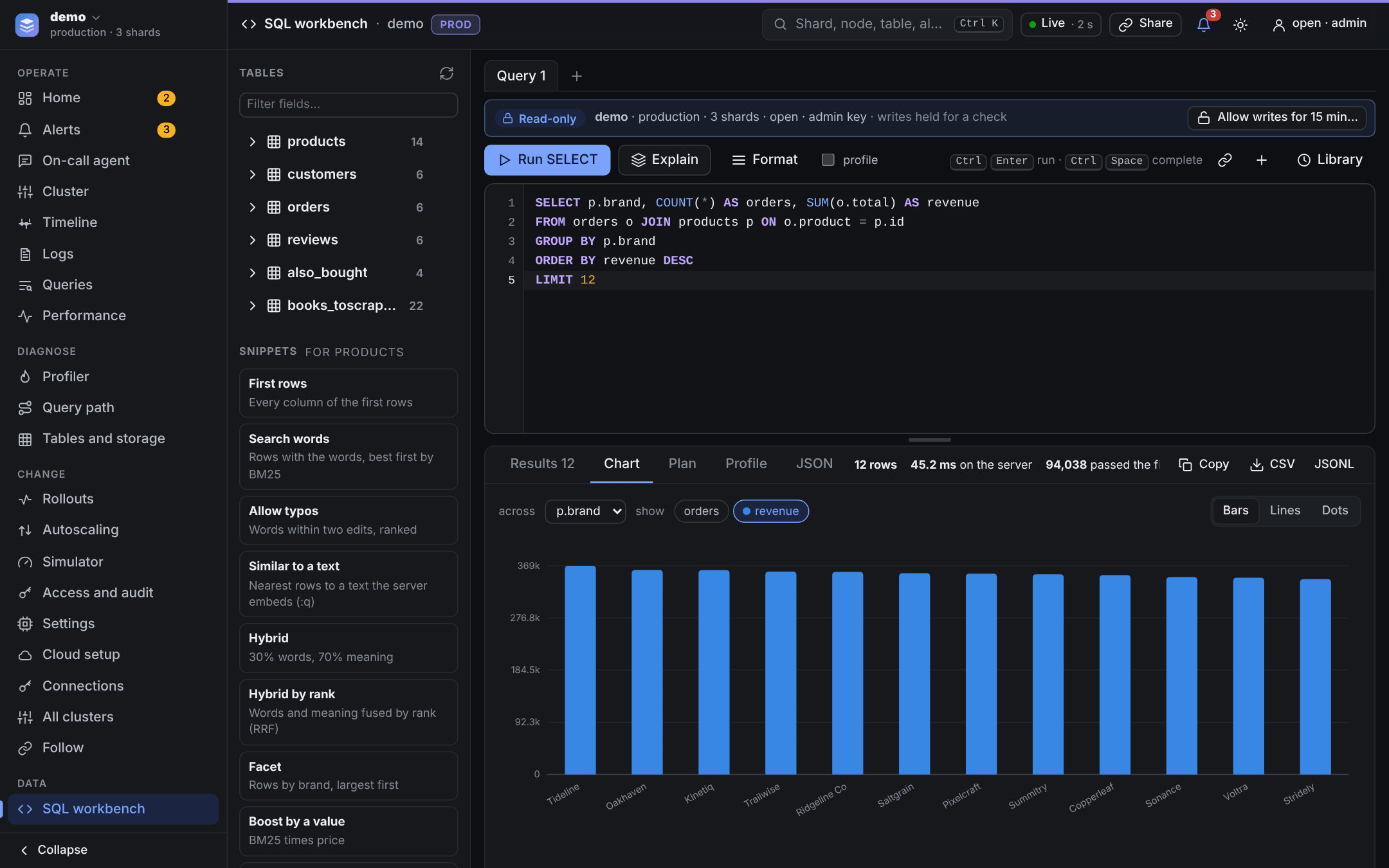
Completion, plans and charts. Read-only on production until someone allows writes.
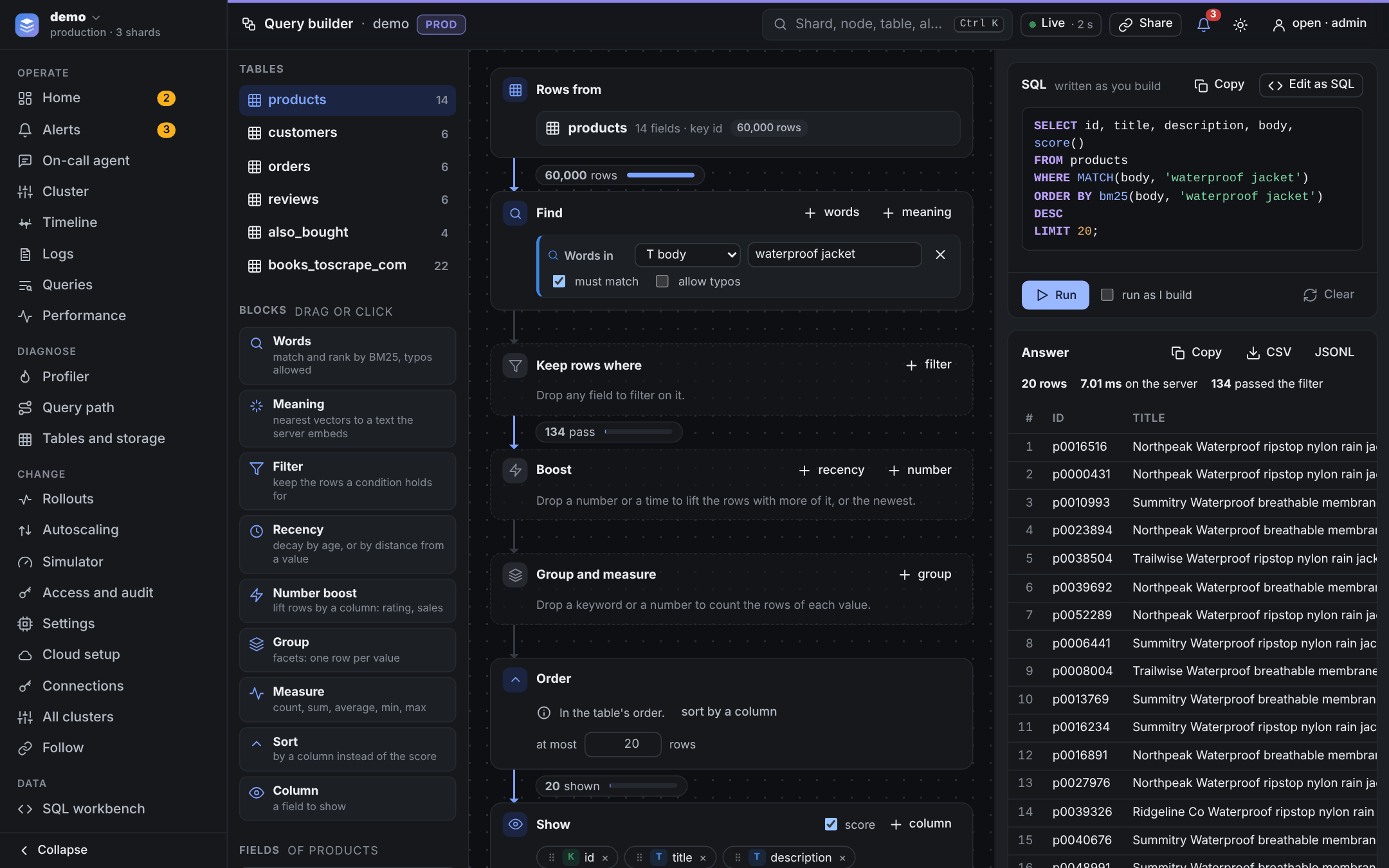
Drag words, filters and boosts into stages; the SQL is written as you build.
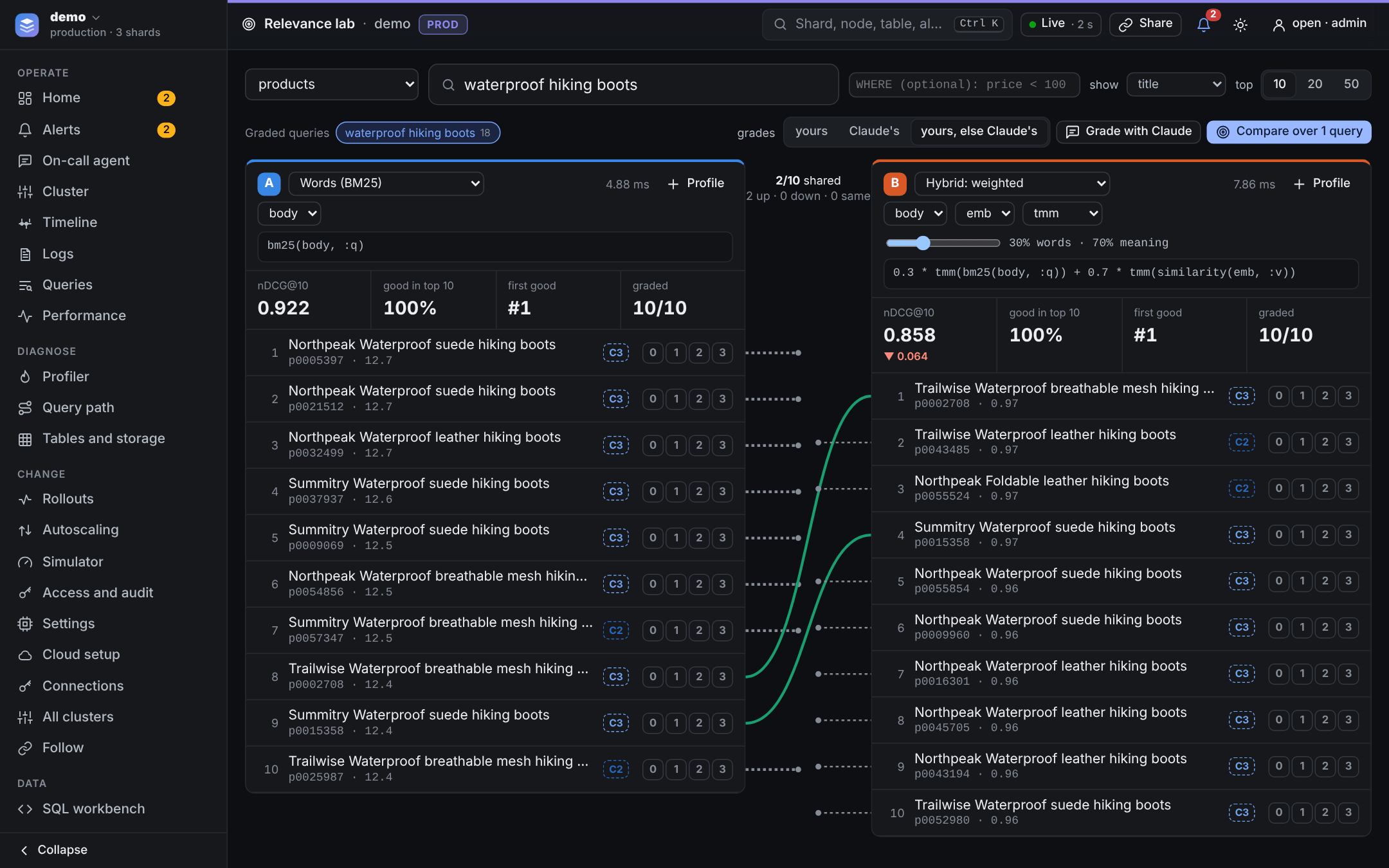
Two rankings side by side. Grade rows, or let Claude grade them, and keep the winner.
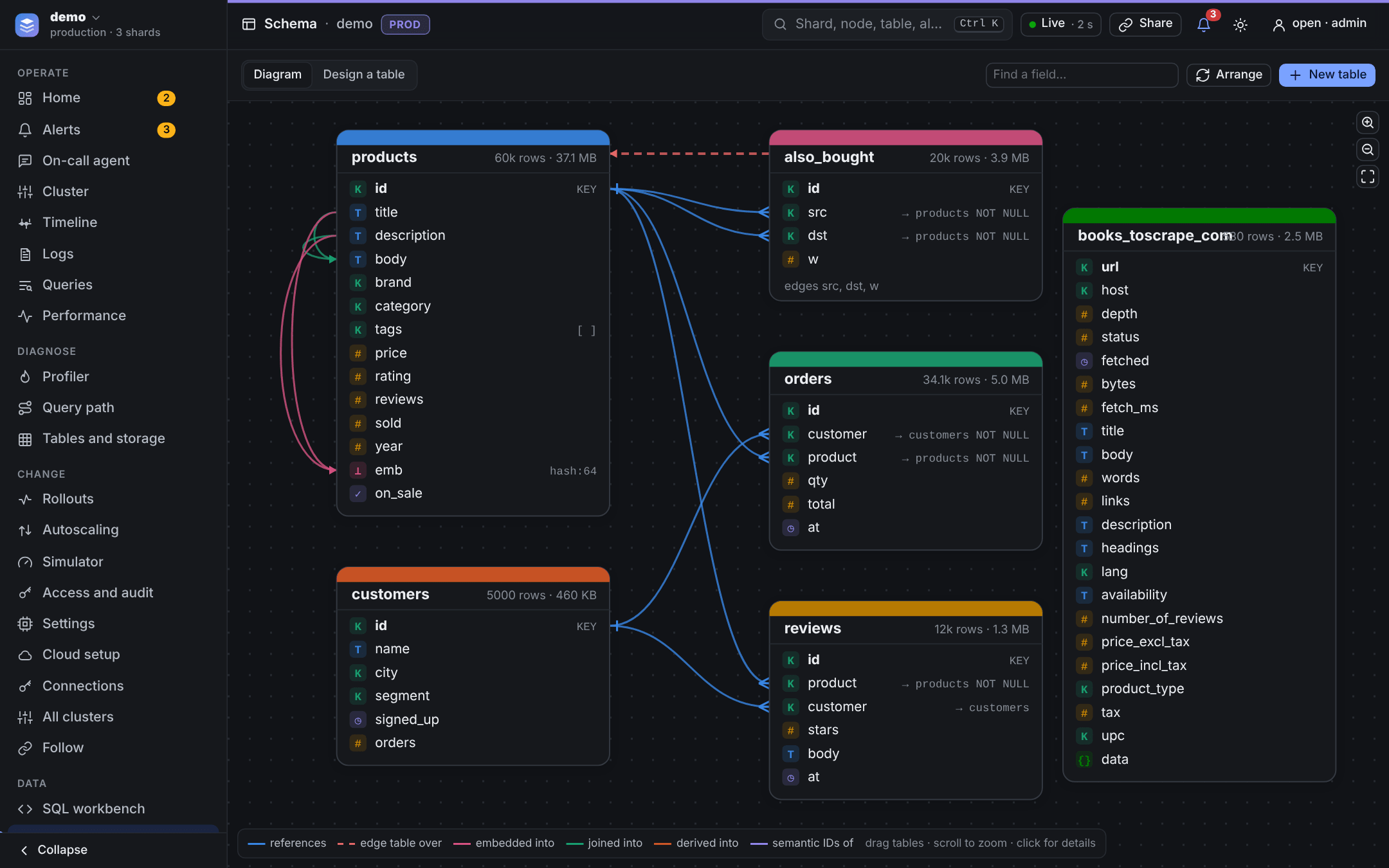
Tables drawn with their links. Design a new one by dragging types into it.
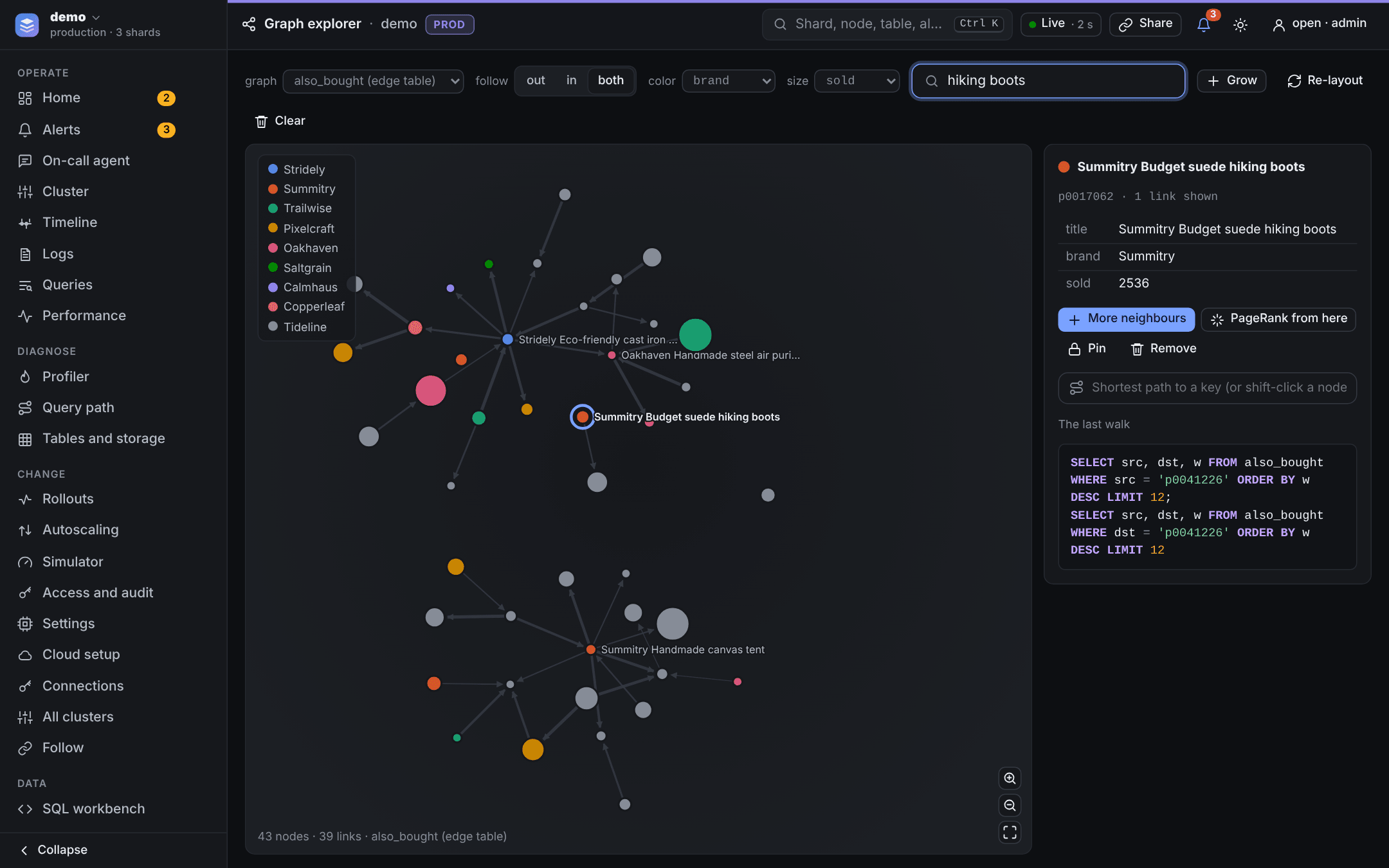
Walk edges, rank by PageRank and find paths, with the SQL for each step.
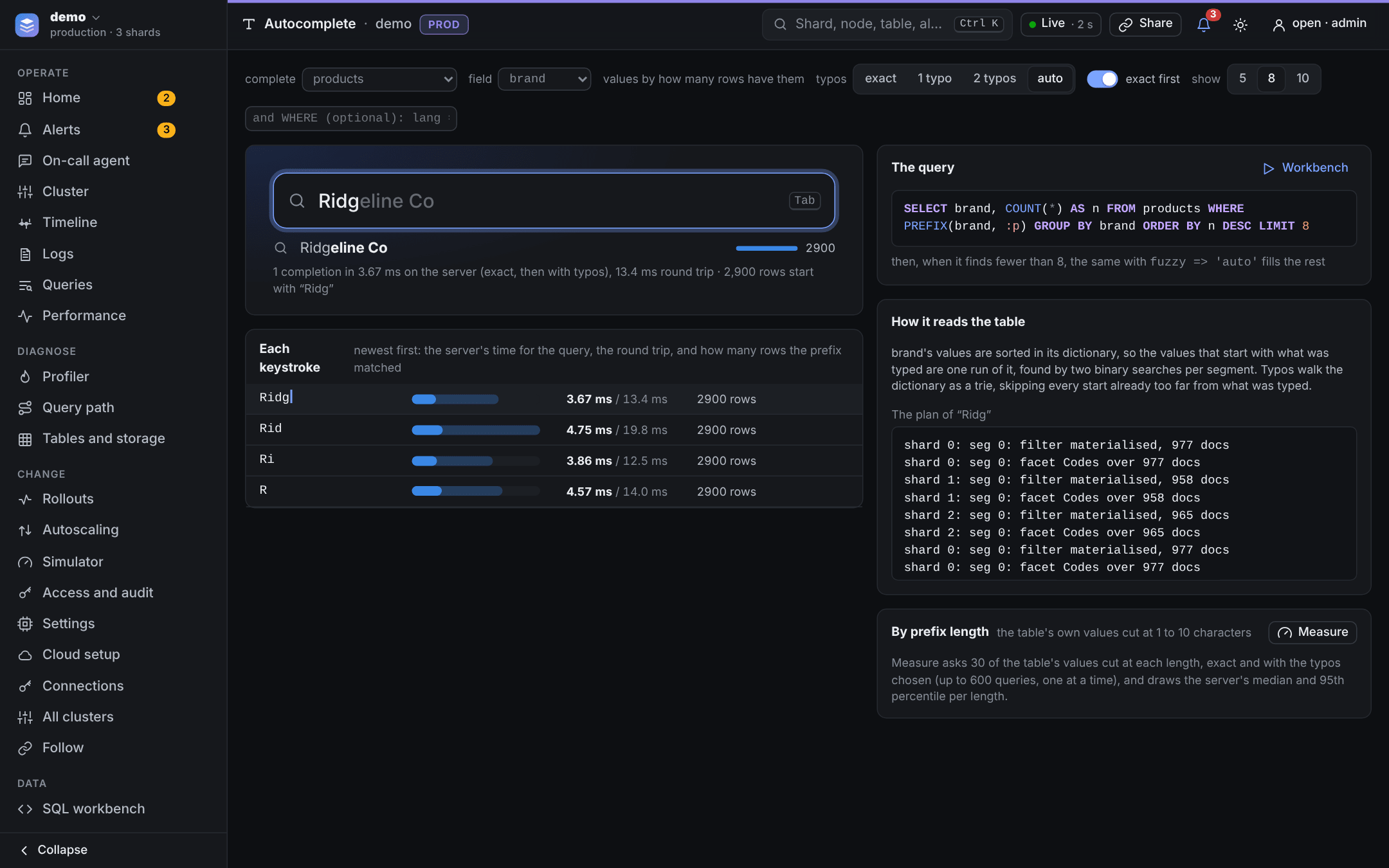
Completions with typos, timed keystroke by keystroke.
An agent on call, and a cluster rehearsed
Claude investigates alerts and proposes fixes, a Simulator predicts what other shapes would hold, and apps add their own views.
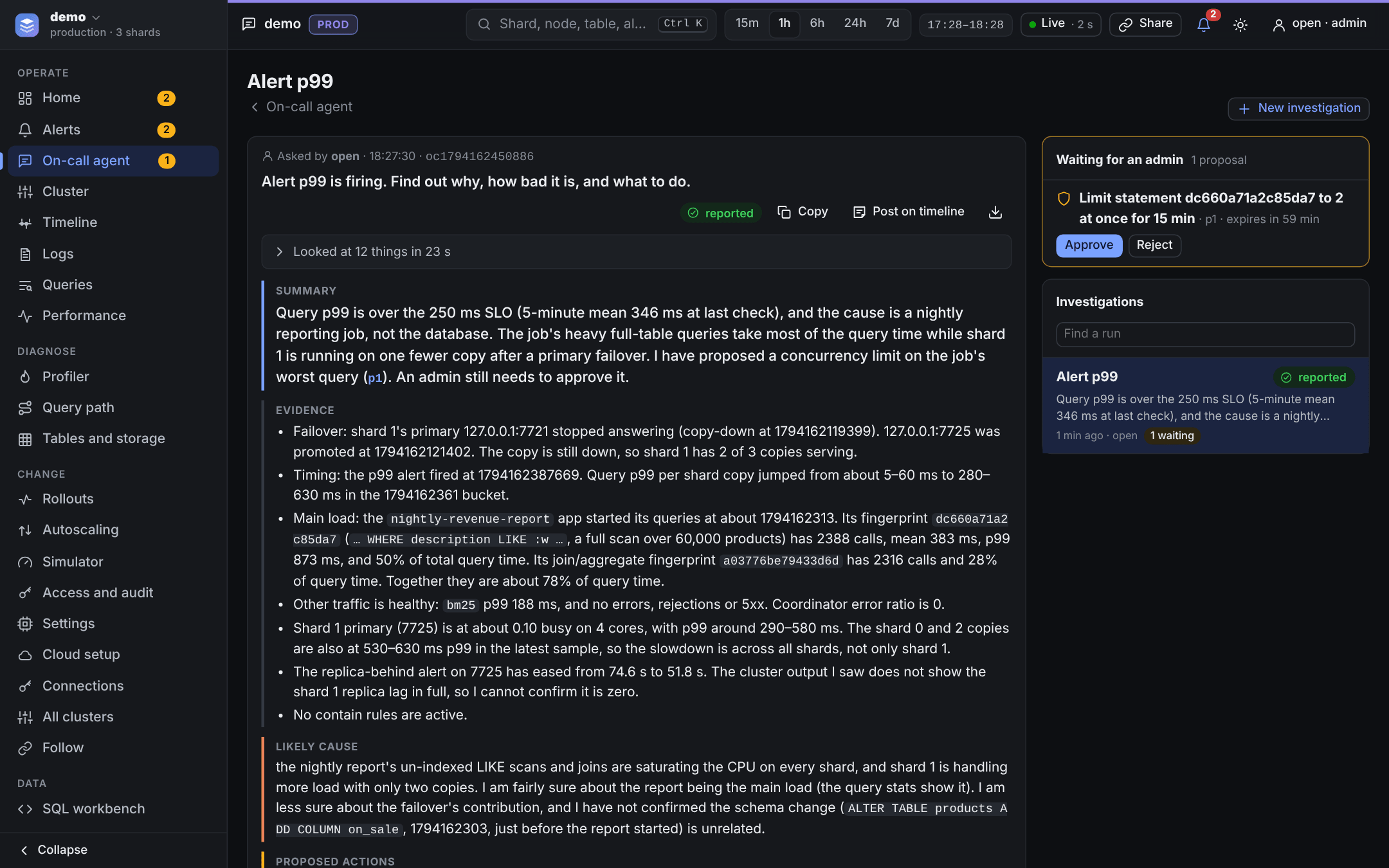
It reads health, alerts, queries and logs, then proposes a limit, a cancel or a silence. Nothing changes until an admin approves. How it works
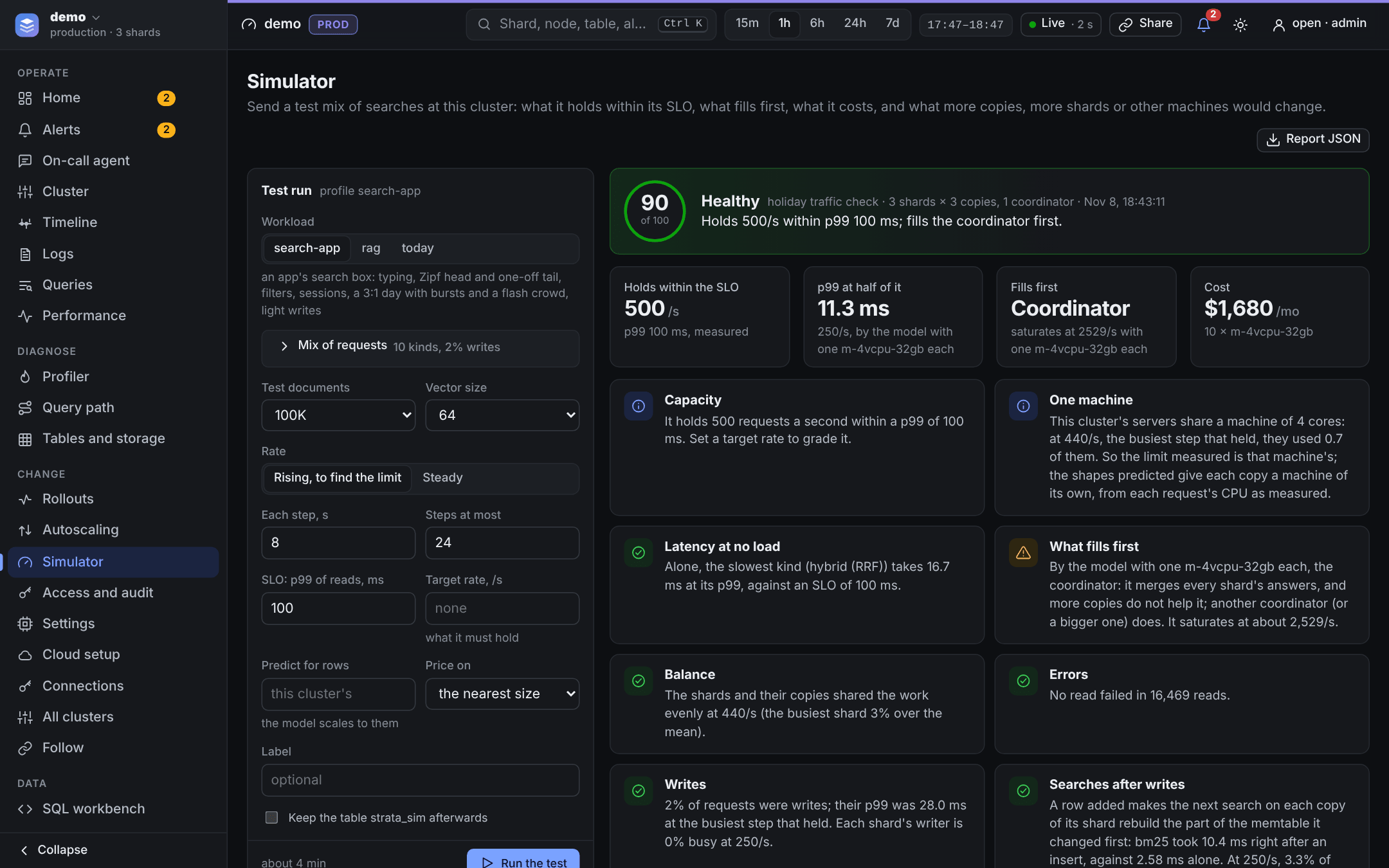
A test mix at a rising rate: what the cluster holds within its SLO, what fills first, and what another shape would hold and cost.
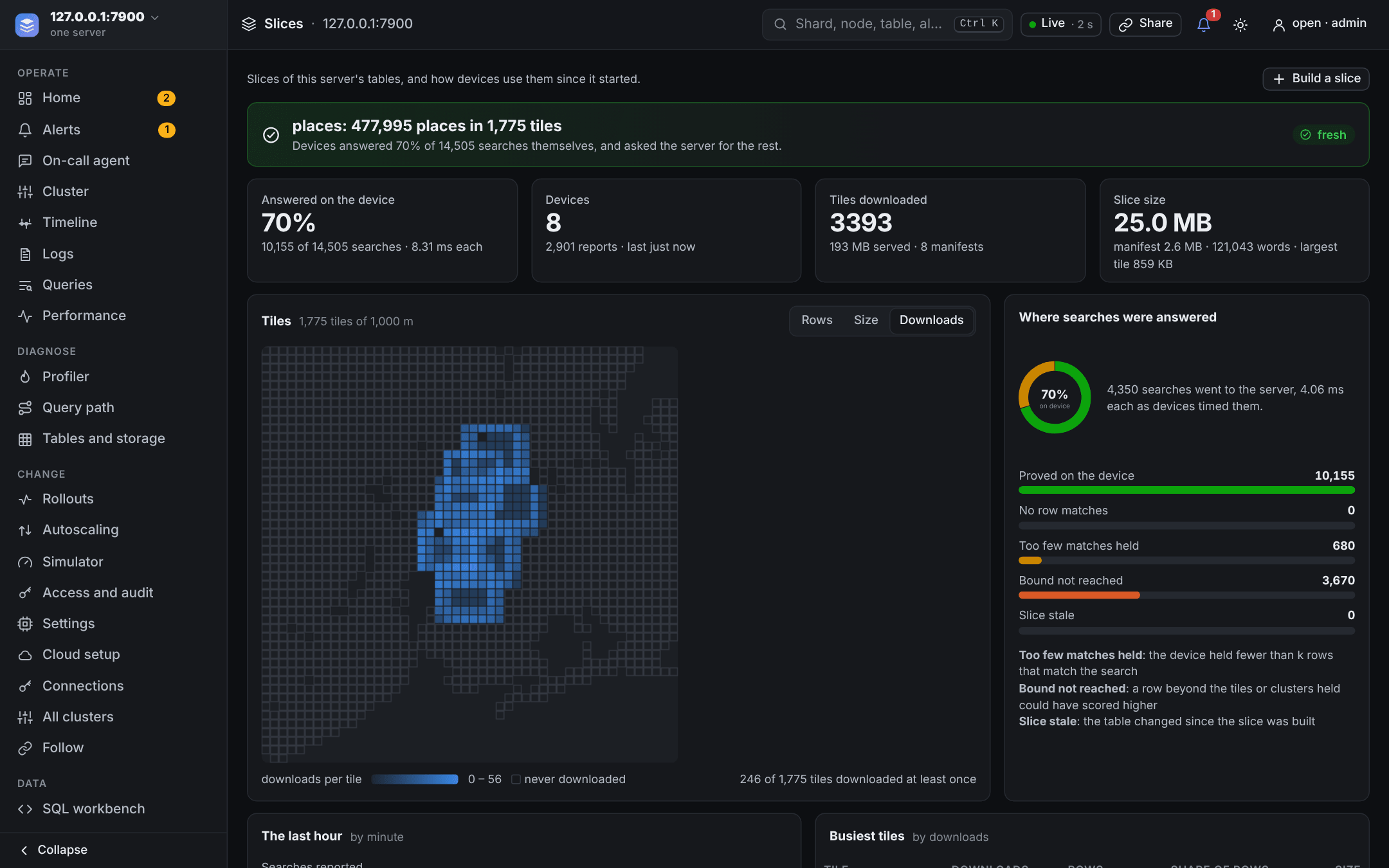
Which tiles devices fetched, and how many searches they answered themselves. Search on the device
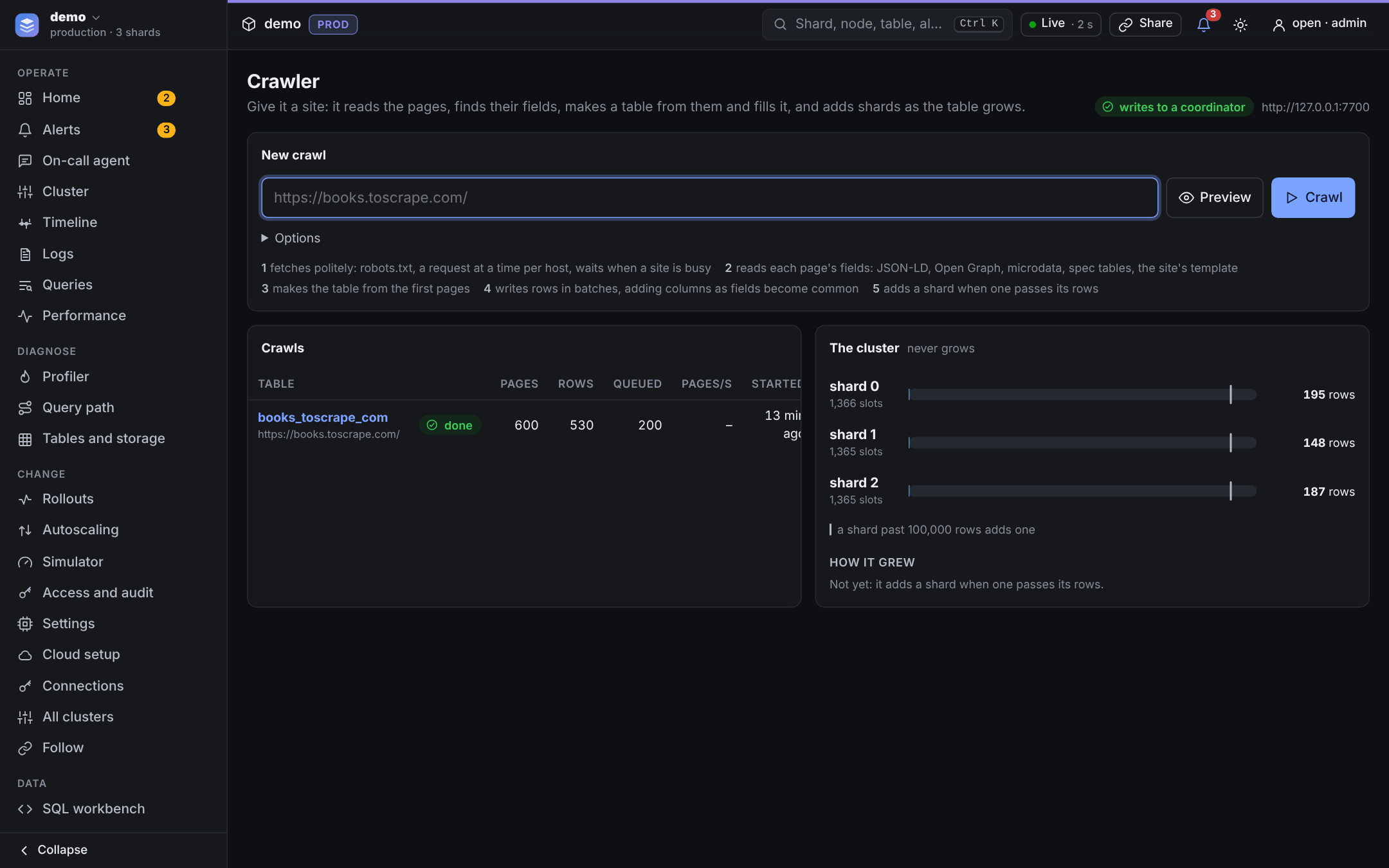
An app beside the cluster: give it a site, and it makes a table and adds shards as the table grows. The crawler
Change the cluster safely
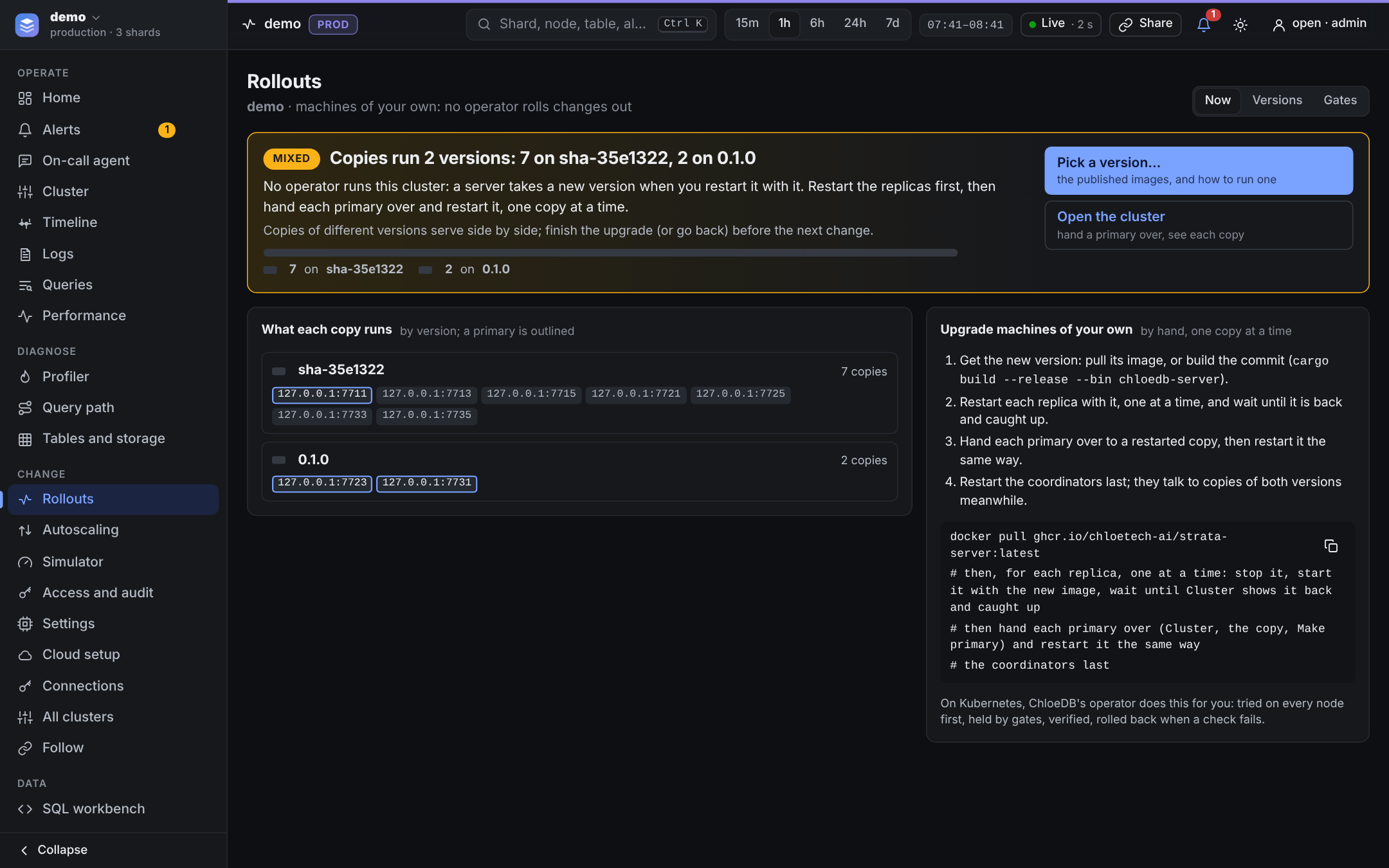
Rollouts pick a published version and restart one copy at a time behind health gates. Autoscaling rules read as sentences. Cloud setup prices and creates a cluster on EKS or DigitalOcean. All clusters puts every cluster you reach on one page, and Follow keeps one a moment behind another.
What the others ship for this
Elasticsearch and OpenSearch leave the console to a second product, Kibana or OpenSearch Dashboards. Milvus has Attu as a separate service.
Open it on your laptop in a minute
The demo fills a database with sample products and serves it.
chloedb-server --demo 20000 --db products.chloedb
open http://localhost:7700/